100% PrivateWorks Offline

Take a breath before the
scroll takes over.

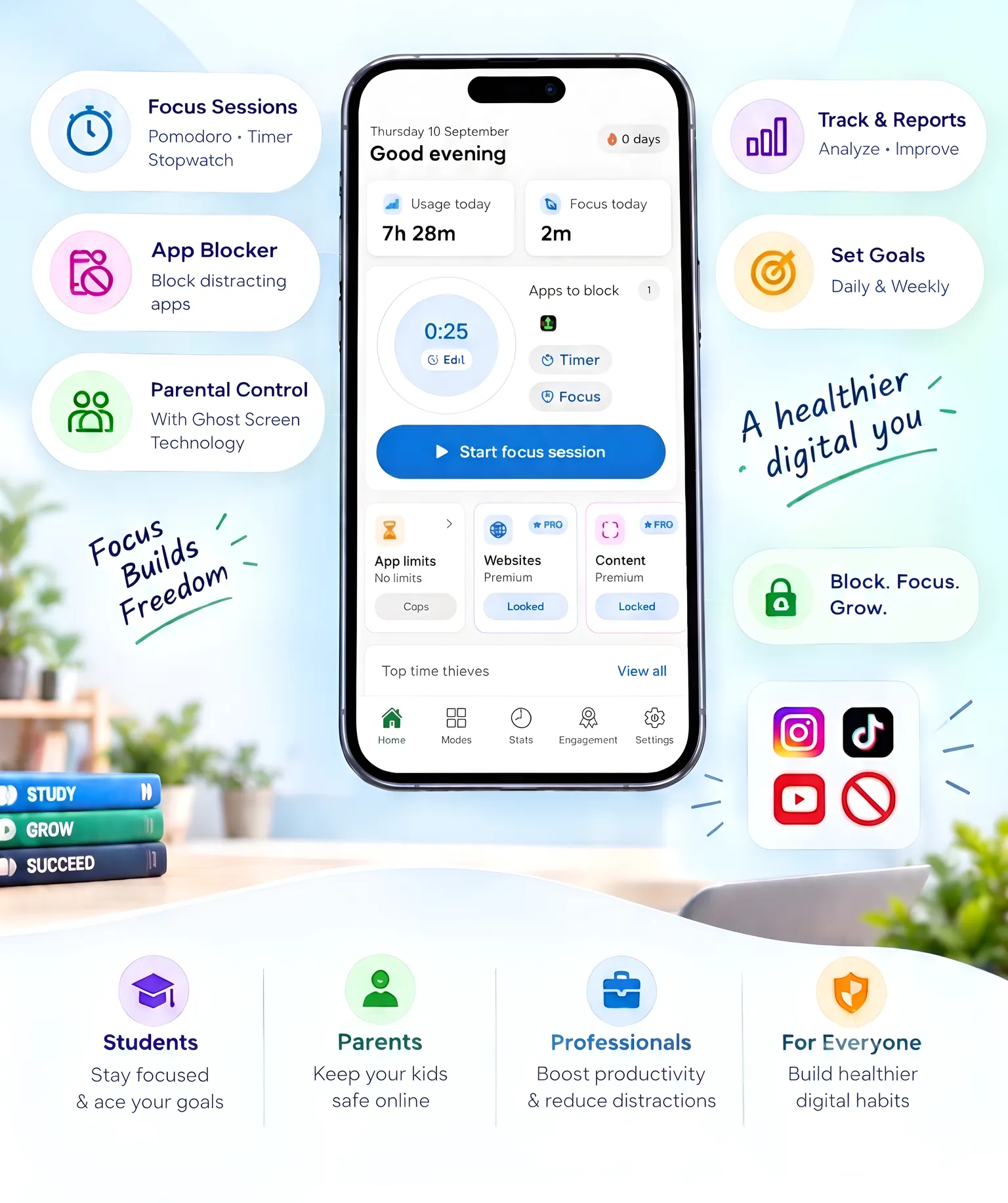
ScreenBreathe blocks distracting apps, websites, and short-form feeds while helping you build better focus habits.
ScreenBreathe app screenshot
The Problem

Screen addiction is real

Millions struggle with distraction every day. ScreenBreathe helps.

Students can't focus

Social apps and notifications shatter concentration — ScreenBreathe creates uninterrupted study blocks.

Parents worry about safety

Ghost Screen and strictness levels let parents supervise device usage. Sign-in is optional.

Screen time creeps up

Five minutes turns into two hours. Daily limits help you reclaim your time automatically.

How it works

Three steps to digital peace

Set up in under a minute. Powered safely on your device.

1

Pick what to protect

Select distracting apps from your installed list, set daily limits, or enable website and short-form feed blockers.

2

Choose strictness

Pick a mode (Study, Parent, Detox) and adjust from Gentle nudges to PIN-protected Deep blocks.

3

Start your session

Begin a timed focus session and let native Android services enforce the rules locally. Review progress in the Journey tab.

Core Features

Everything you need to reclaim focus

Powerful tools that work entirely on your device — no cloud, no compromises.

Focus Sessions

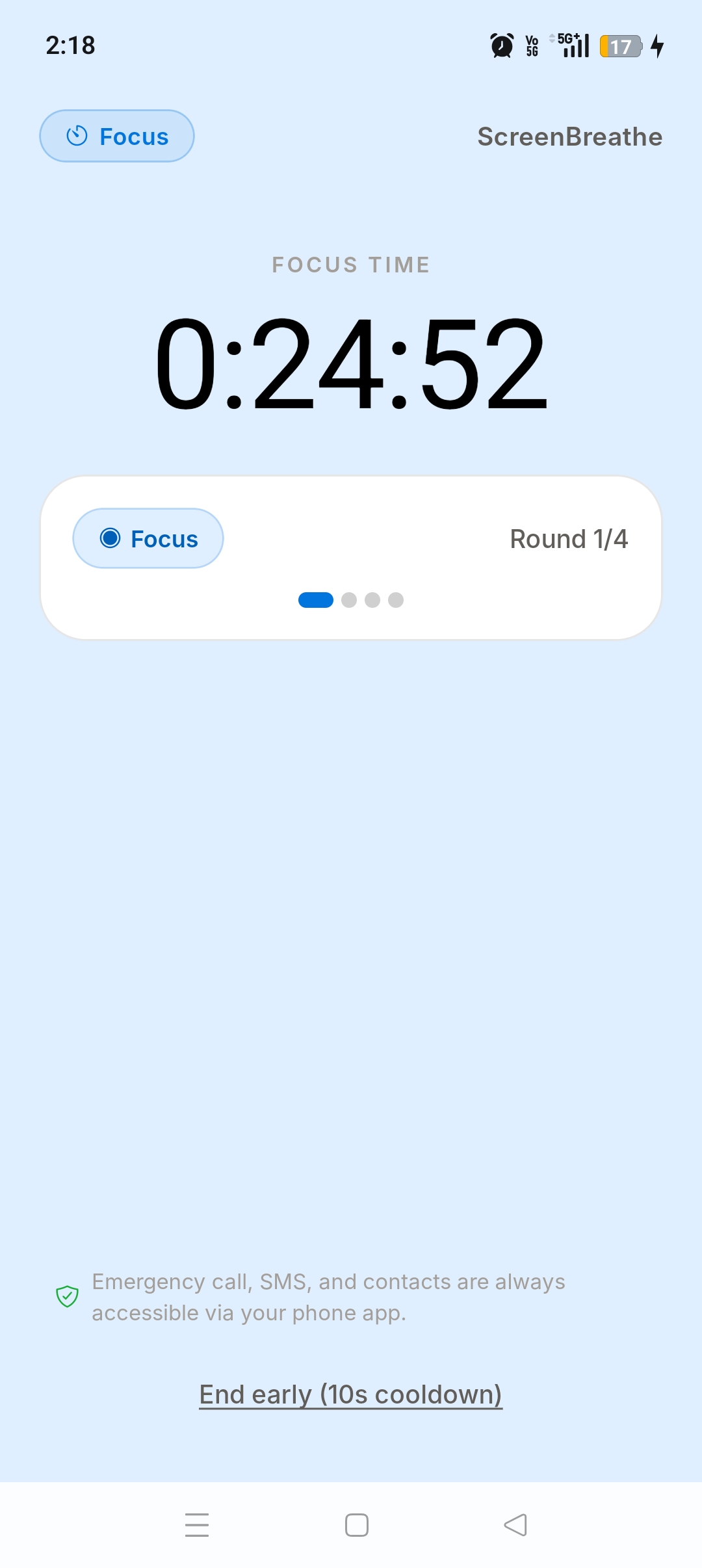
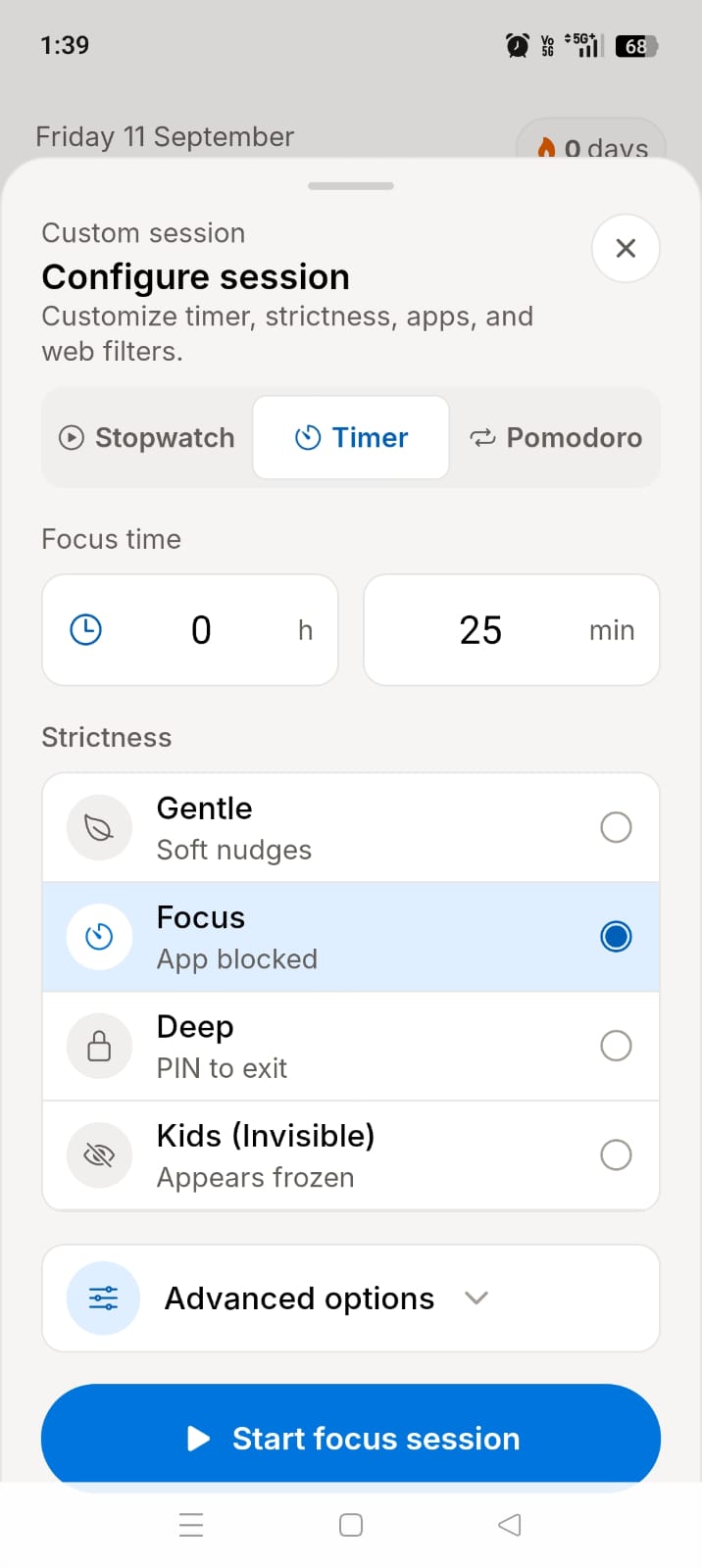
Start a timer, stopwatch, or Pomodoro session and keep chosen apps blocked until the session ends.

Daily App Limits

Set daily app caps. When time runs out, ScreenBreathe locks the app for the rest of the day.

Website Blocker

Block built-in categories or your own domains using local VPN DNS filtering. Decisions happen on-device.

Content Blocker

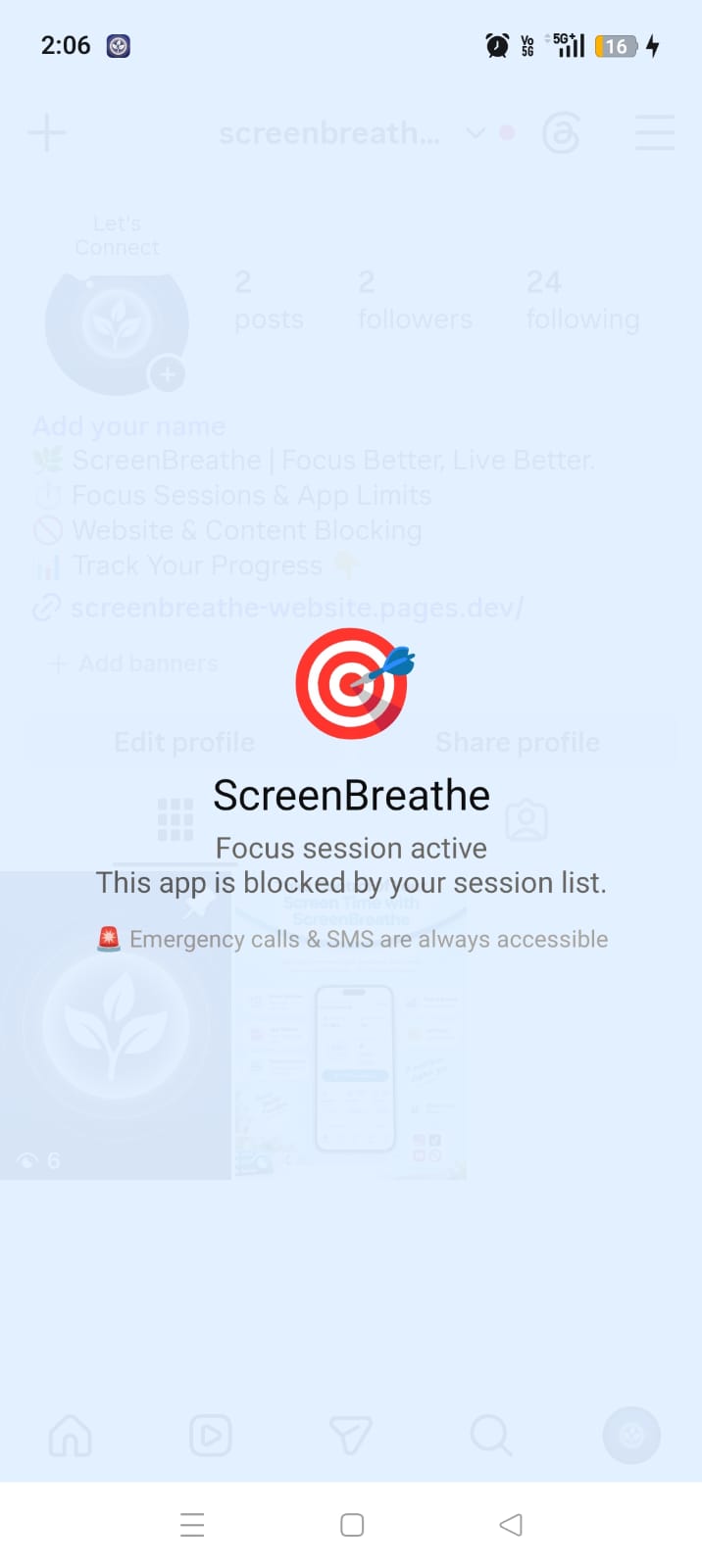
Step away from supported short-form feeds like Reels, Shorts, and Spotlight using native Android Accessibility.

Block Levels

Choose Gentle nudges, Focus blocks, PIN-protected Deep blocks, or invisible Kids mode.

Goals & Reports

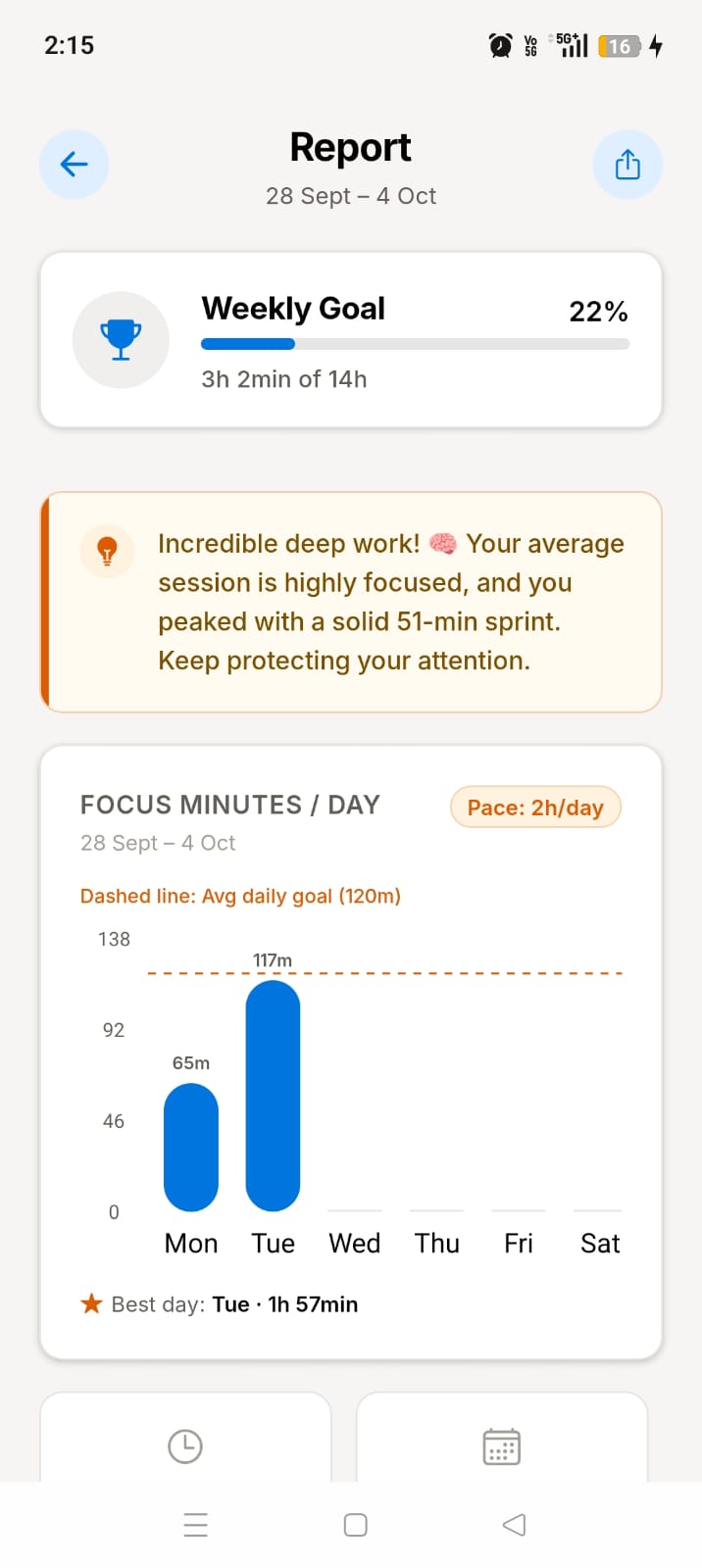
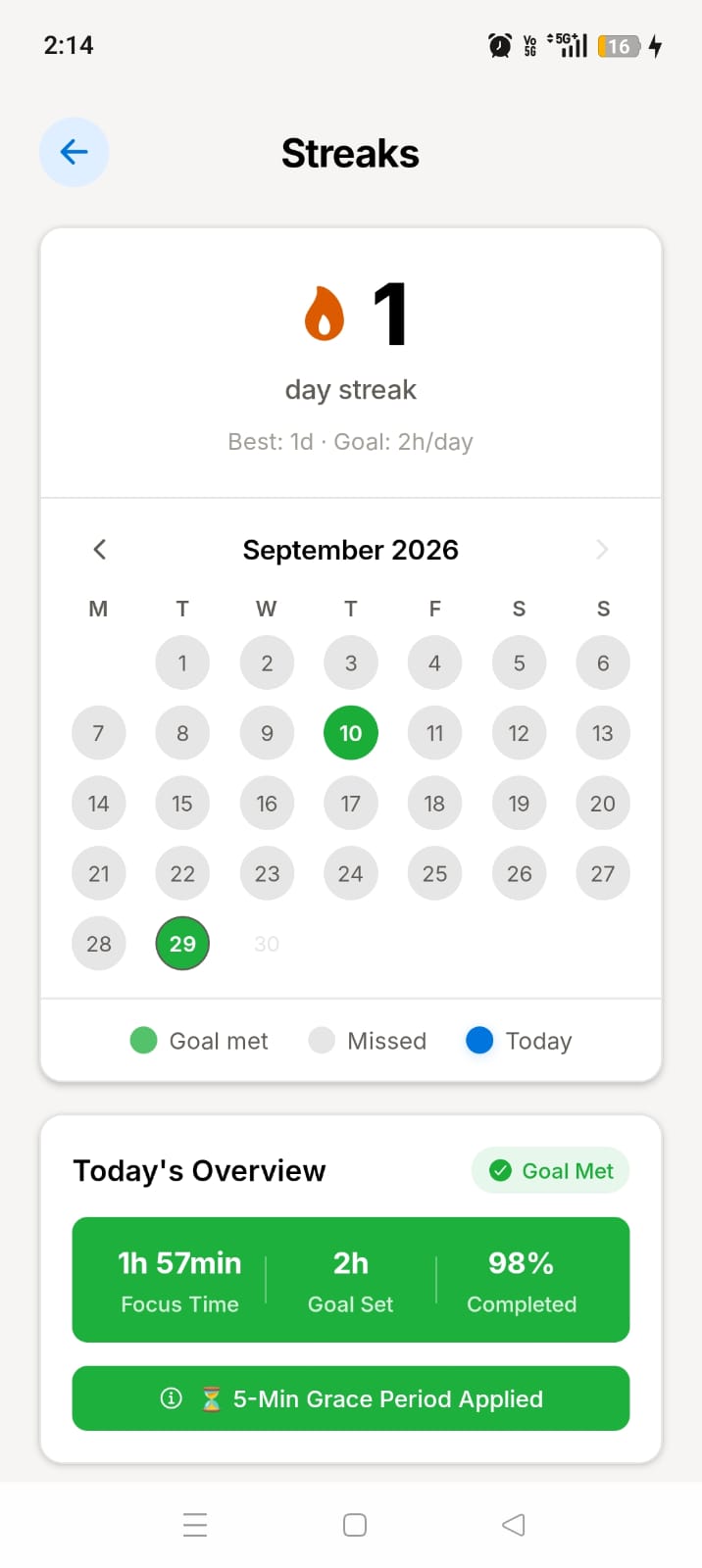
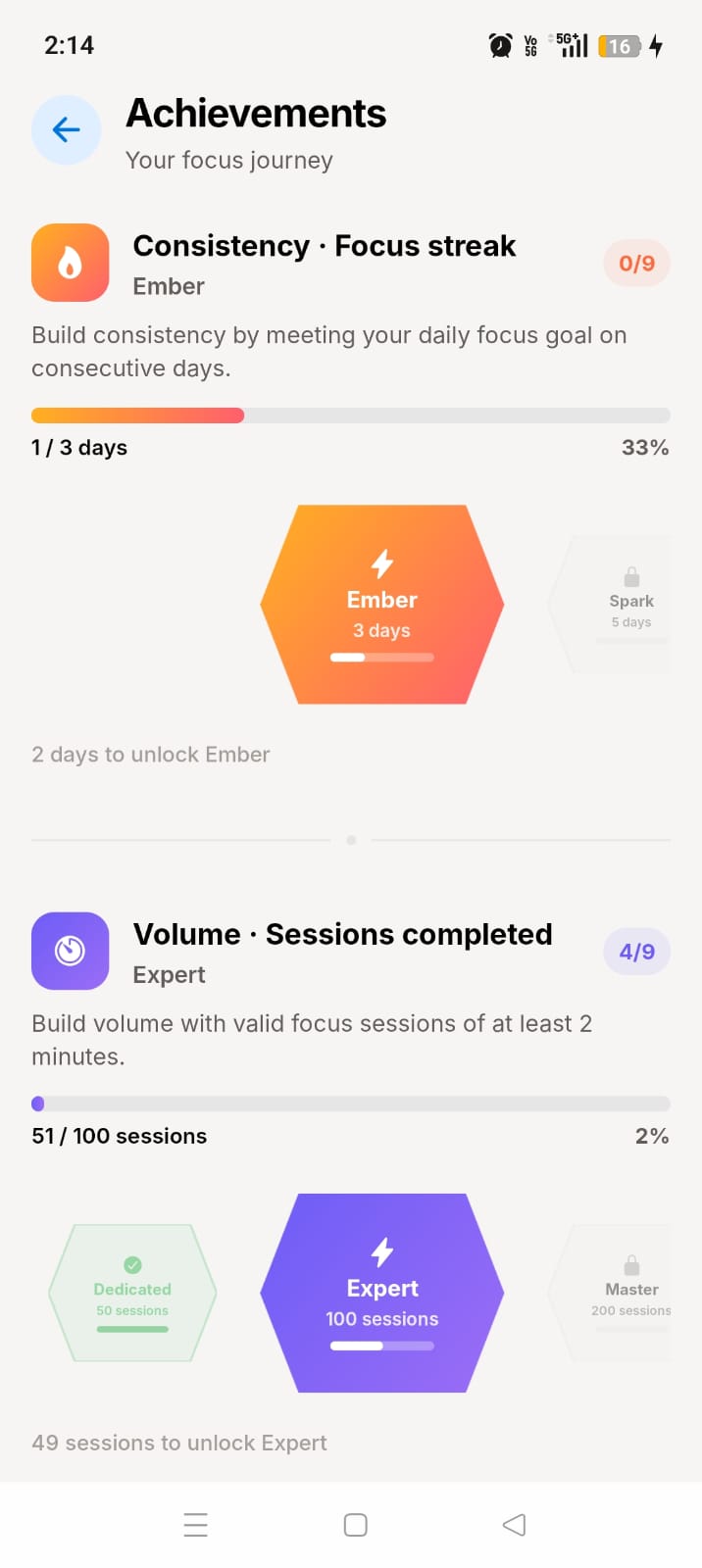
Turn focus time into a habit with daily goals, streaks, achievements, and shareable weekly PDF reports.

Who it's for

Built for real people

Whether you're studying, parenting, or working — ScreenBreathe adapts to you.

Students

Lock distracting apps during study sessions. Pomodoro timers and break windows keep you productive without burnout.

Parents

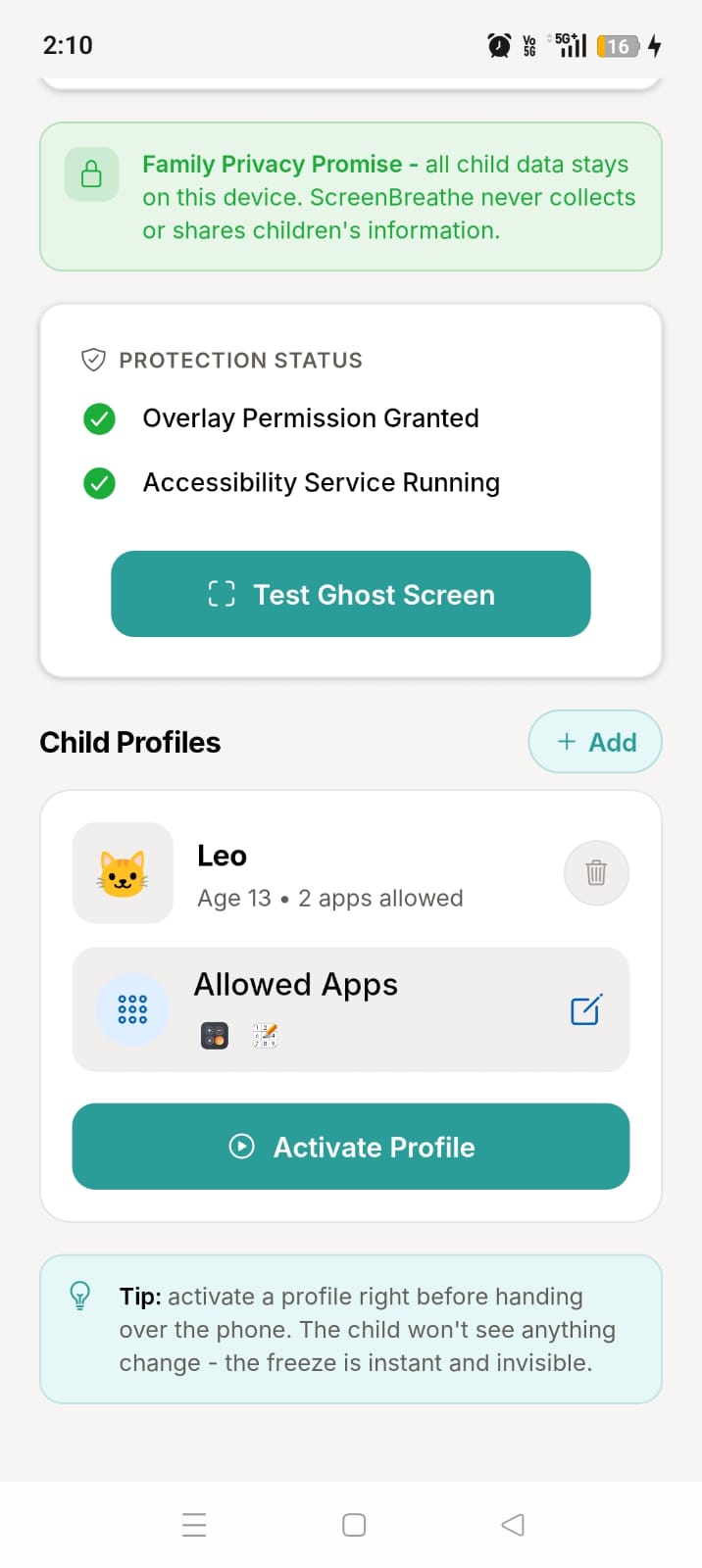
Hand over your phone with less worry. Invisible Kids mode blocking makes non-allowed apps feel frozen to your child.

Professionals

Short, distraction-free sessions help break the doom-scrolling habit and reclaim productive work hours.

Everyone

Build healthier digital habits with daily app limits, customizable website filters, and short-form video blockers.

Product Showcase

See it in action

Clean, distraction-free design built for every Android device.
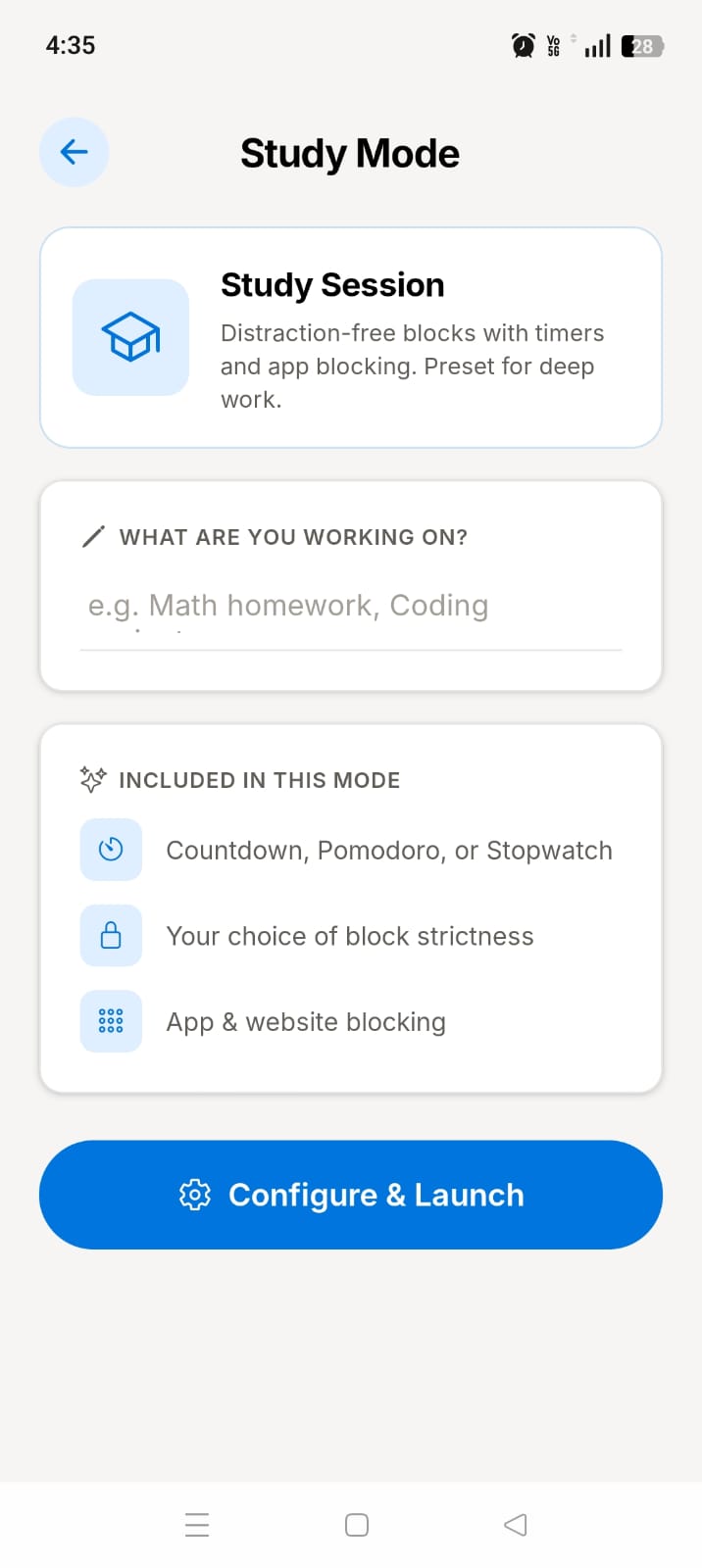
ScreenBreathe study mode session timer for a distraction-free focus session on Android
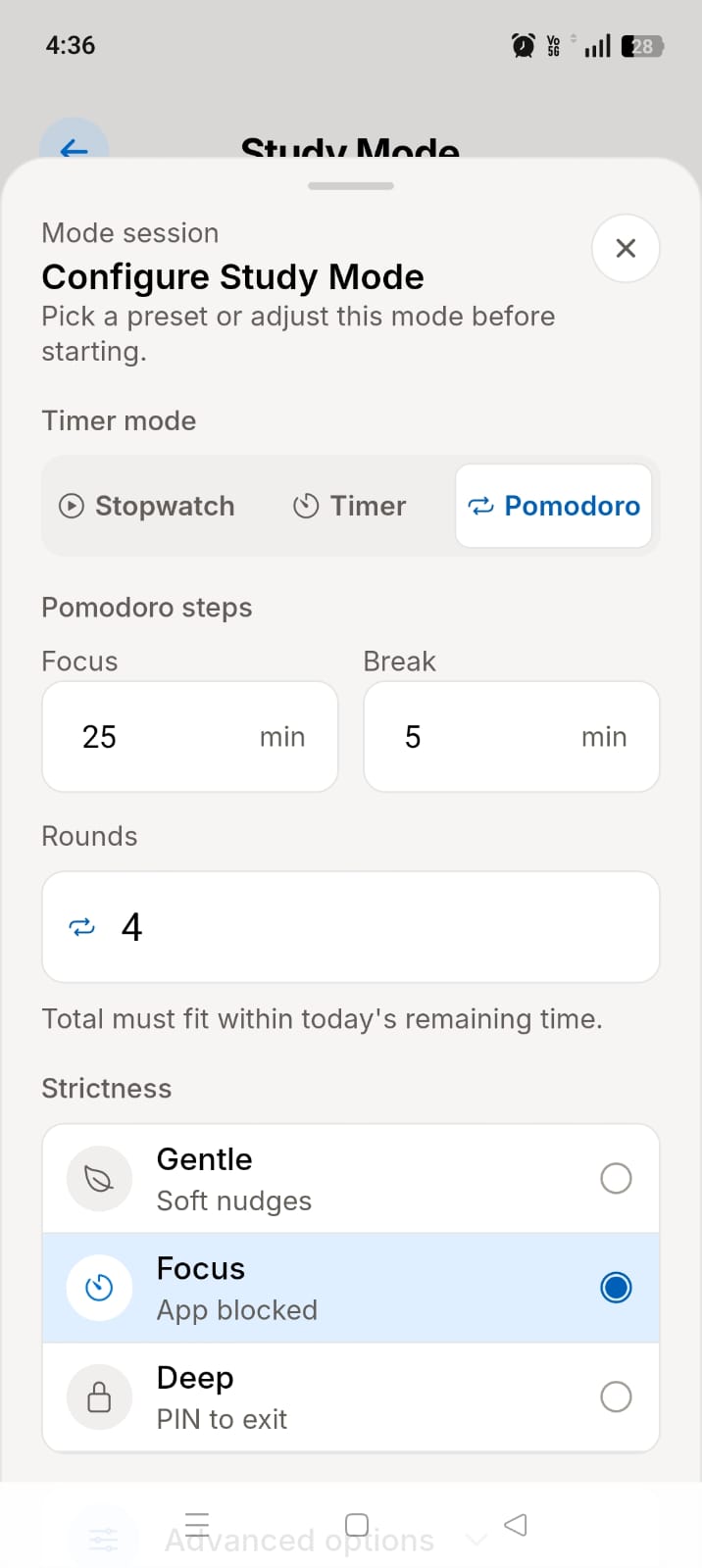
ScreenBreathe study mode setup screen with session timing and focus settings
ScreenBreathe Pomodoro timer screen used for timed productivity sessions
  • Study mode — focus sessions with gentle blocking
  • Stay on track with a minimal UI
  • Easily set session duration
  • Use timer, stopwatch, or Pomodoro mode for productive focus blocks
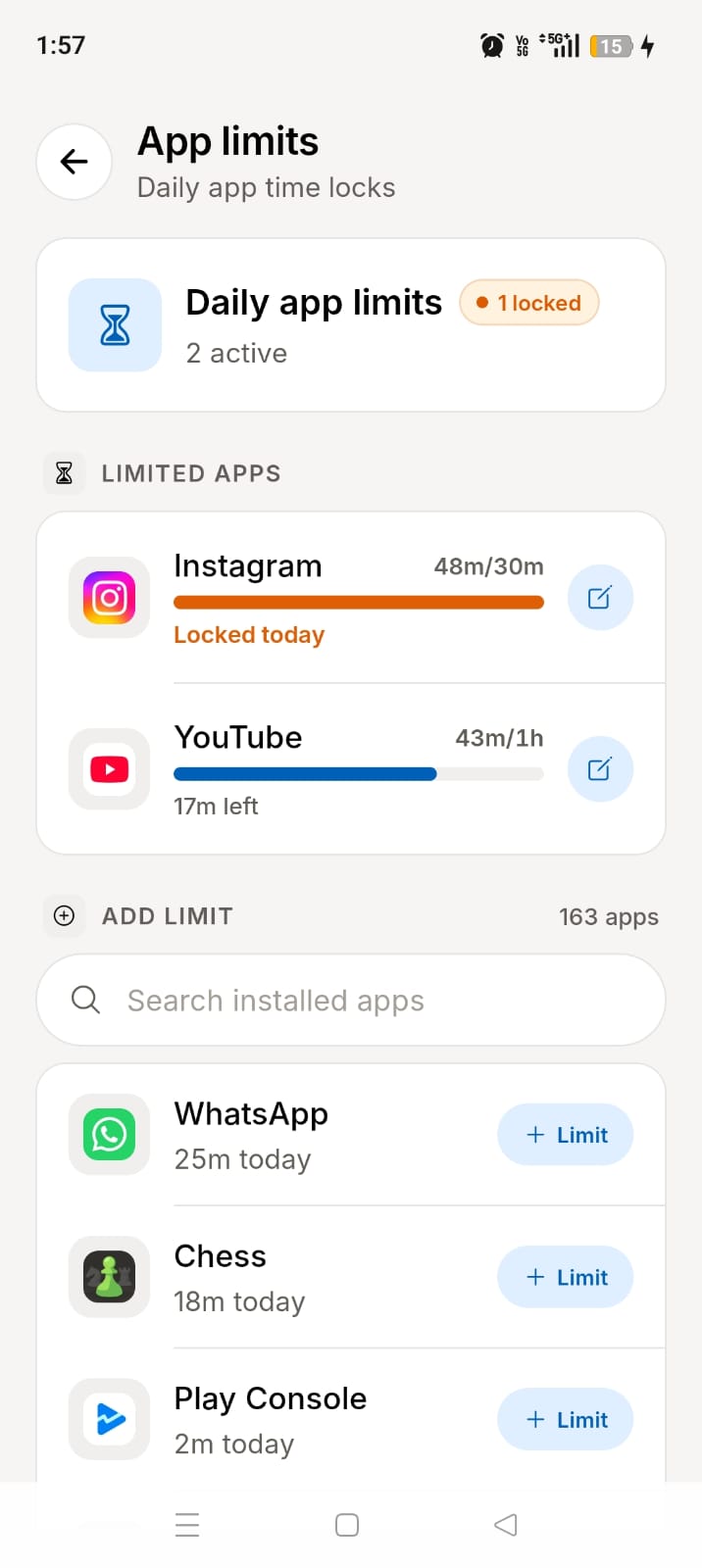
ScreenBreathe daily app limit dashboard with tokens and weekly settings
ScreenBreathe overlay warning when an app reaches its daily usage limit
  • Set strict app usage limits with tokens
  • Configure daily limits for specific apps
  • Gain full control over your daily screen time
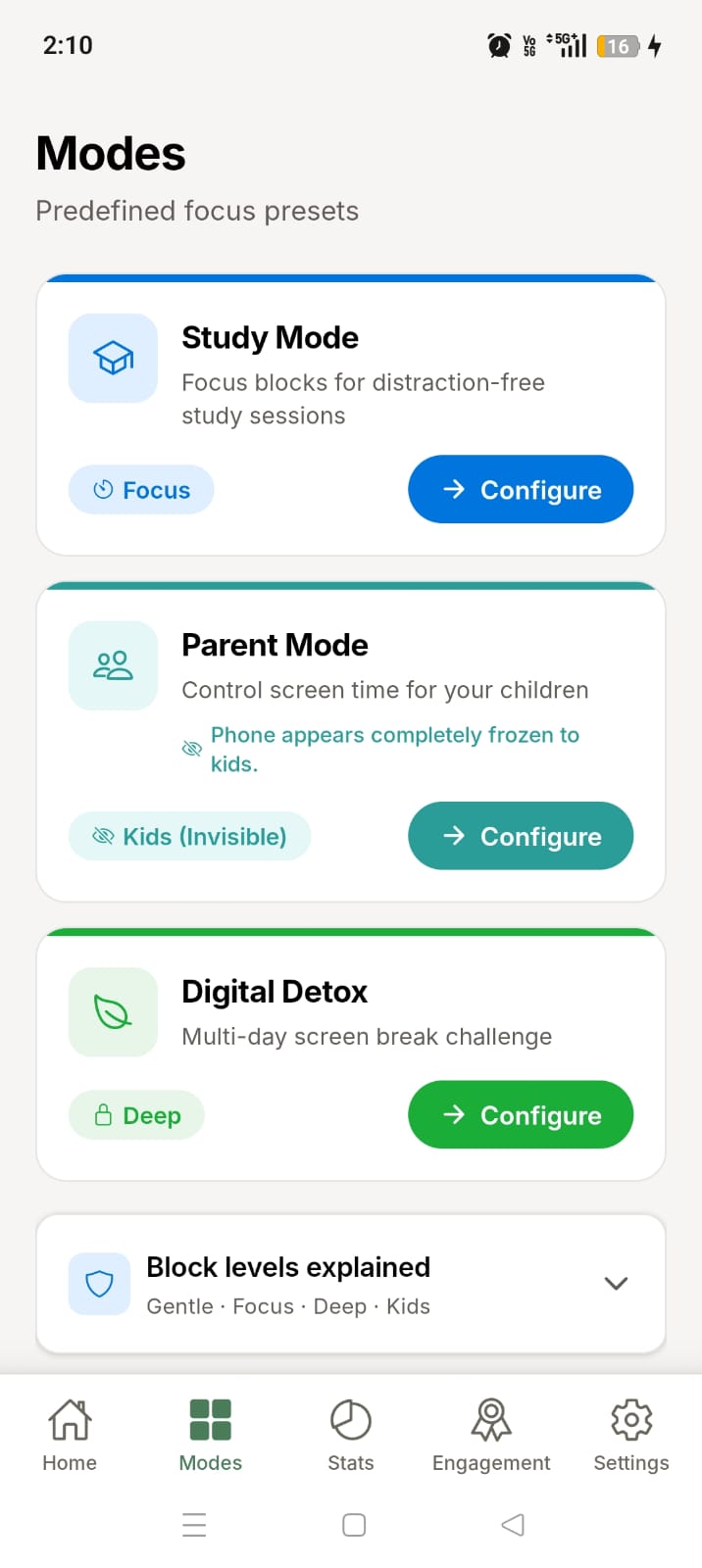
ScreenBreathe mode selector with Study, Parent, and Detox focus modes
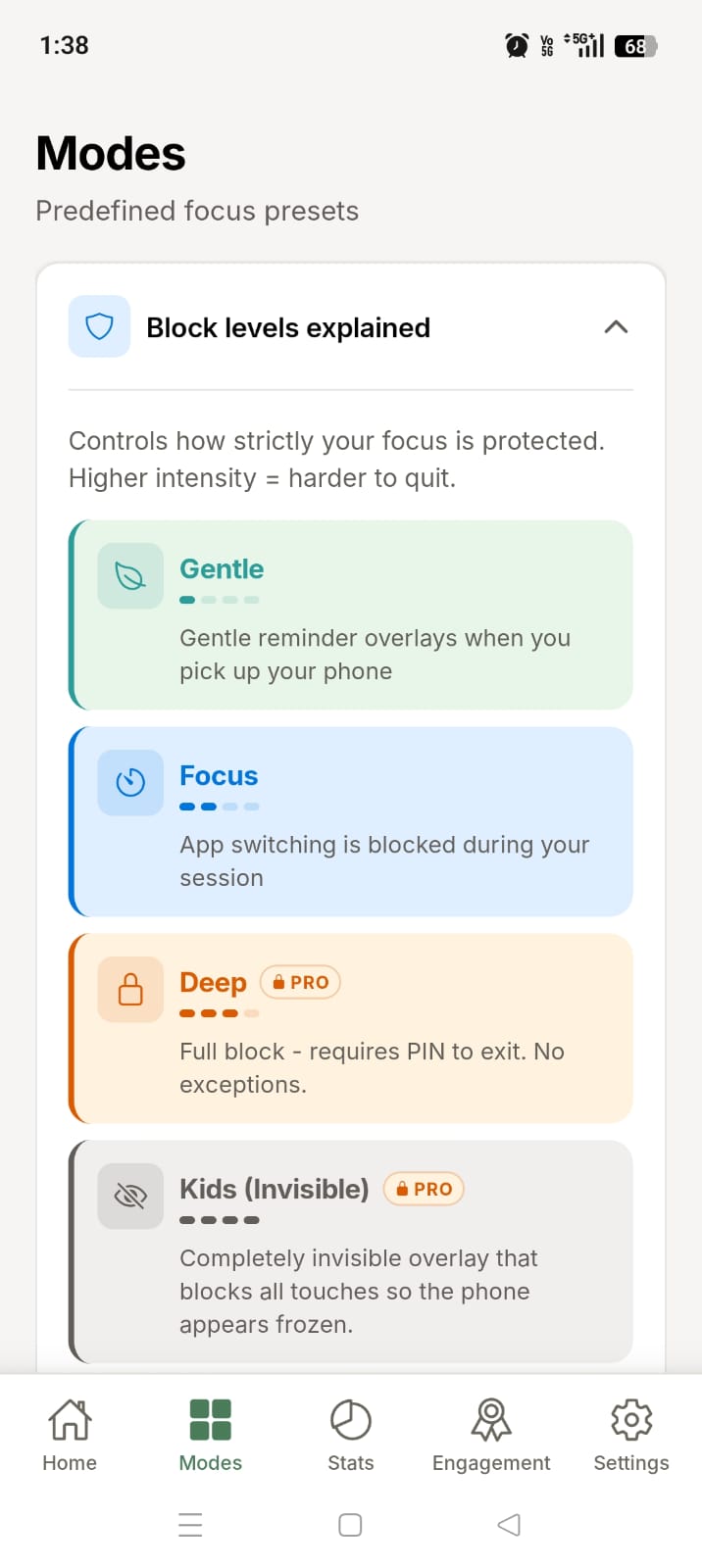
ScreenBreathe strictness level settings for different focus intensity
ScreenBreathe session configuration options for custom focus rules
  • Choose the right strictness level for each session
  • Gentle reminders or strict lockdown protection
  • Perfect for study, work, and device supervision
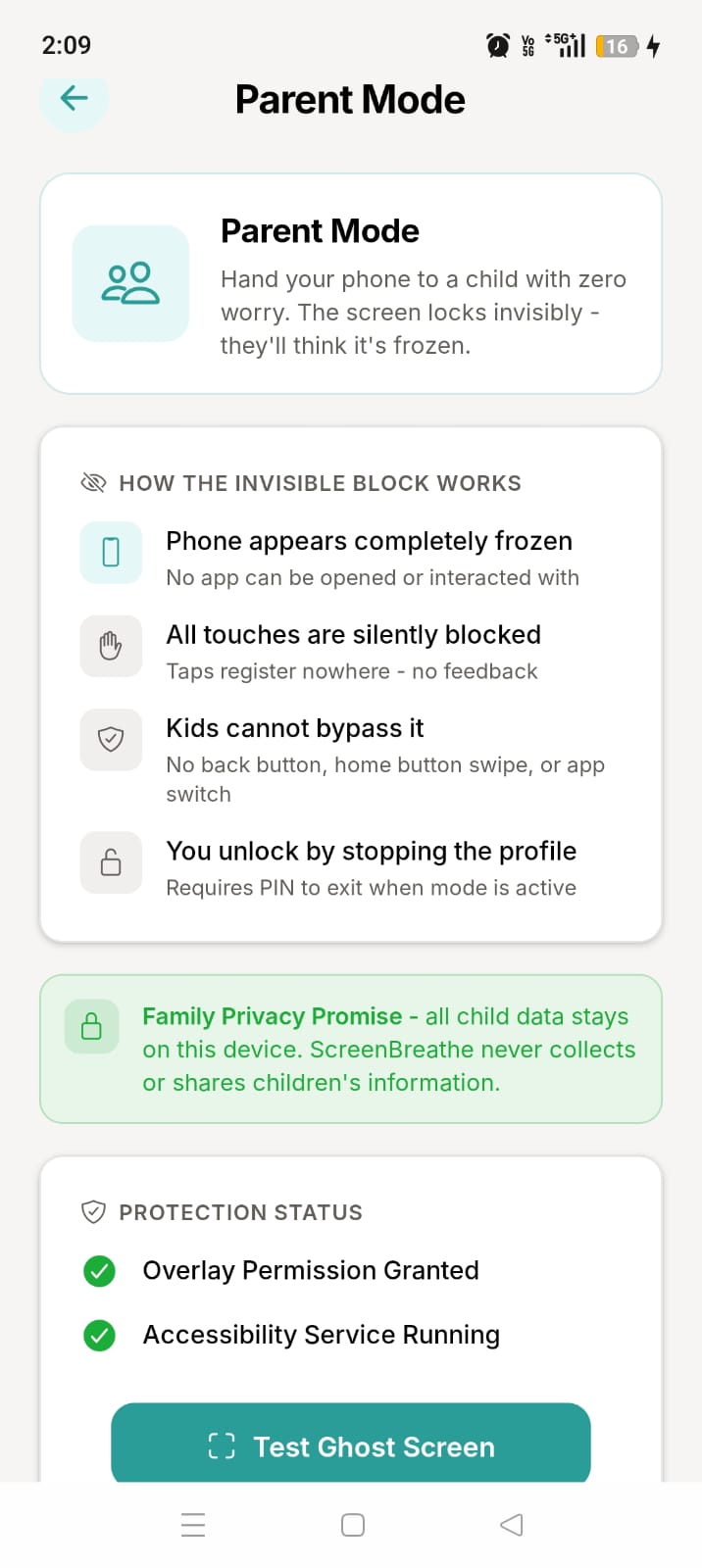
ScreenBreathe parental control mode for supervising restricted device use
ScreenBreathe kids profile setup screen for parent-managed digital limits
  • Ghost Screen — invisible parental blocking
  • Invisible parental control mode for kids
  • Set up a kids profile with custom restrictions
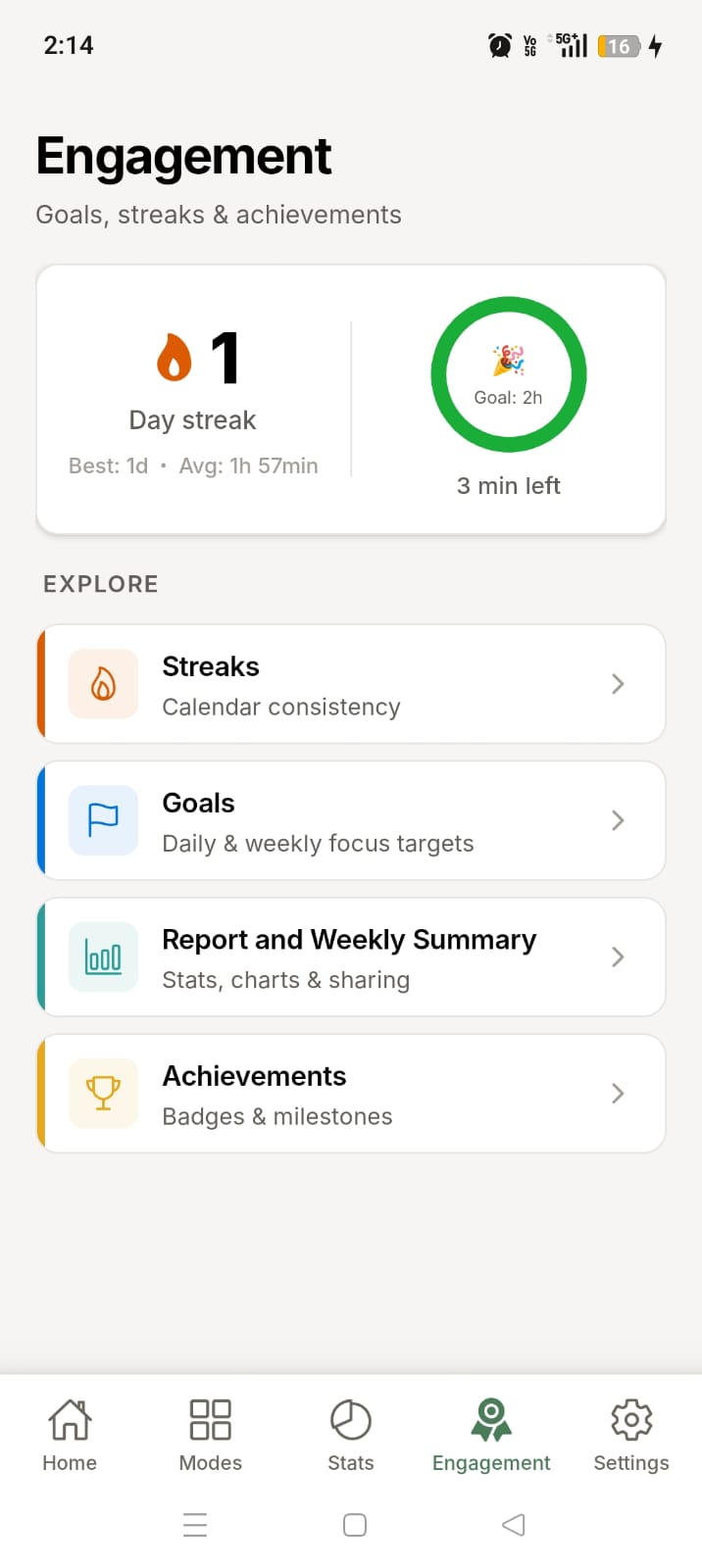
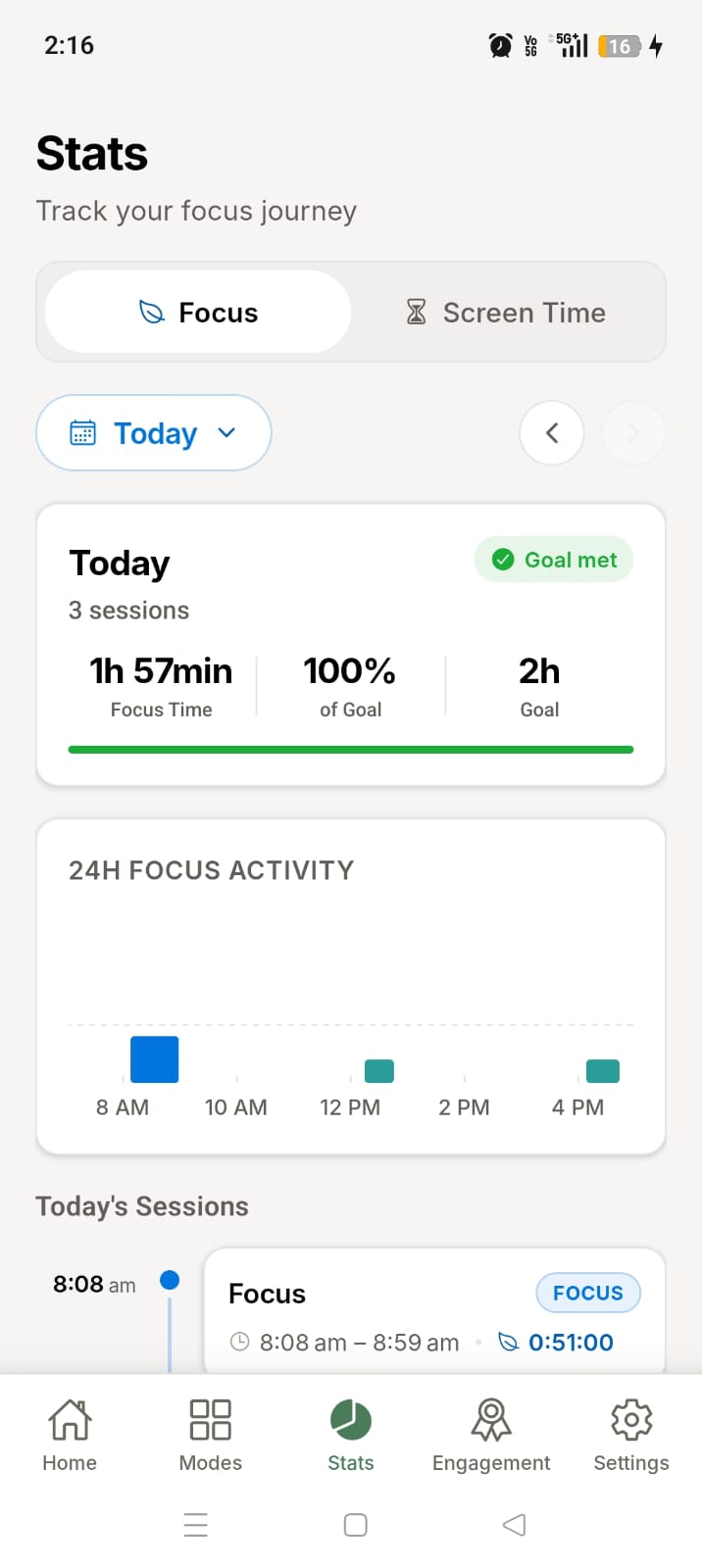
ScreenBreathe engagement report dashboard showing daily and weekly productivity trends
ScreenBreathe weekly focus report with trend data and consistency insights
ScreenBreathe streak tracking dashboard showing focus consistency over time
ScreenBreathe milestone dashboard celebrating focus progress and achievements
  • Daily and weekly productivity reports
  • Visualize your focus habits
  • Track your streaks and progress over time
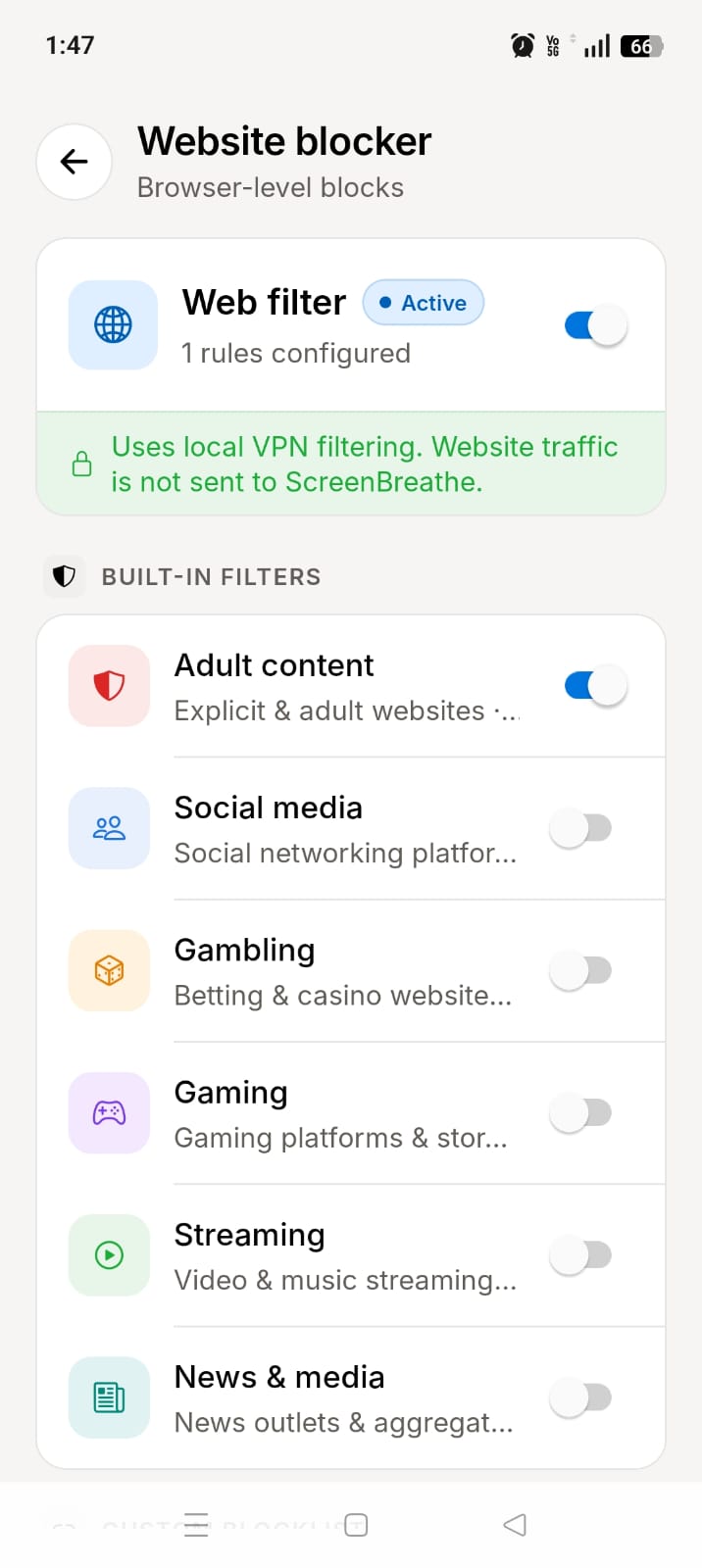
ScreenBreathe website blocker settings for restricting distracting domains
  • Block distracting websites
  • Stay focused while browsing the web
  • Create a custom website blocklist for better concentration
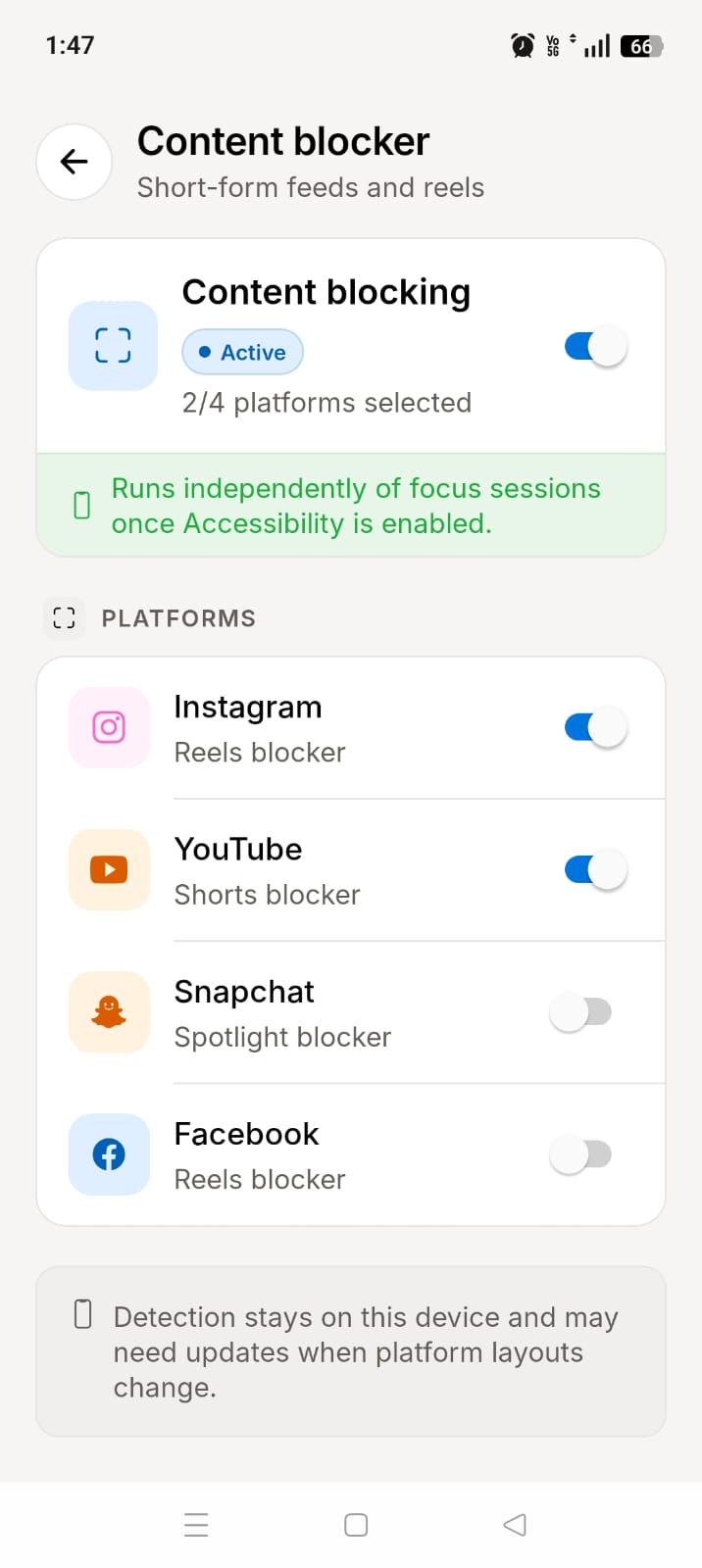
ScreenBreathe content blocker for hiding YouTube Shorts, Reels, and short-form feeds
  • Block addictive short-form content
  • Disable YouTube Shorts, Instagram Reels, and Facebook videos
  • Filter out Snapchat and other distracting feeds
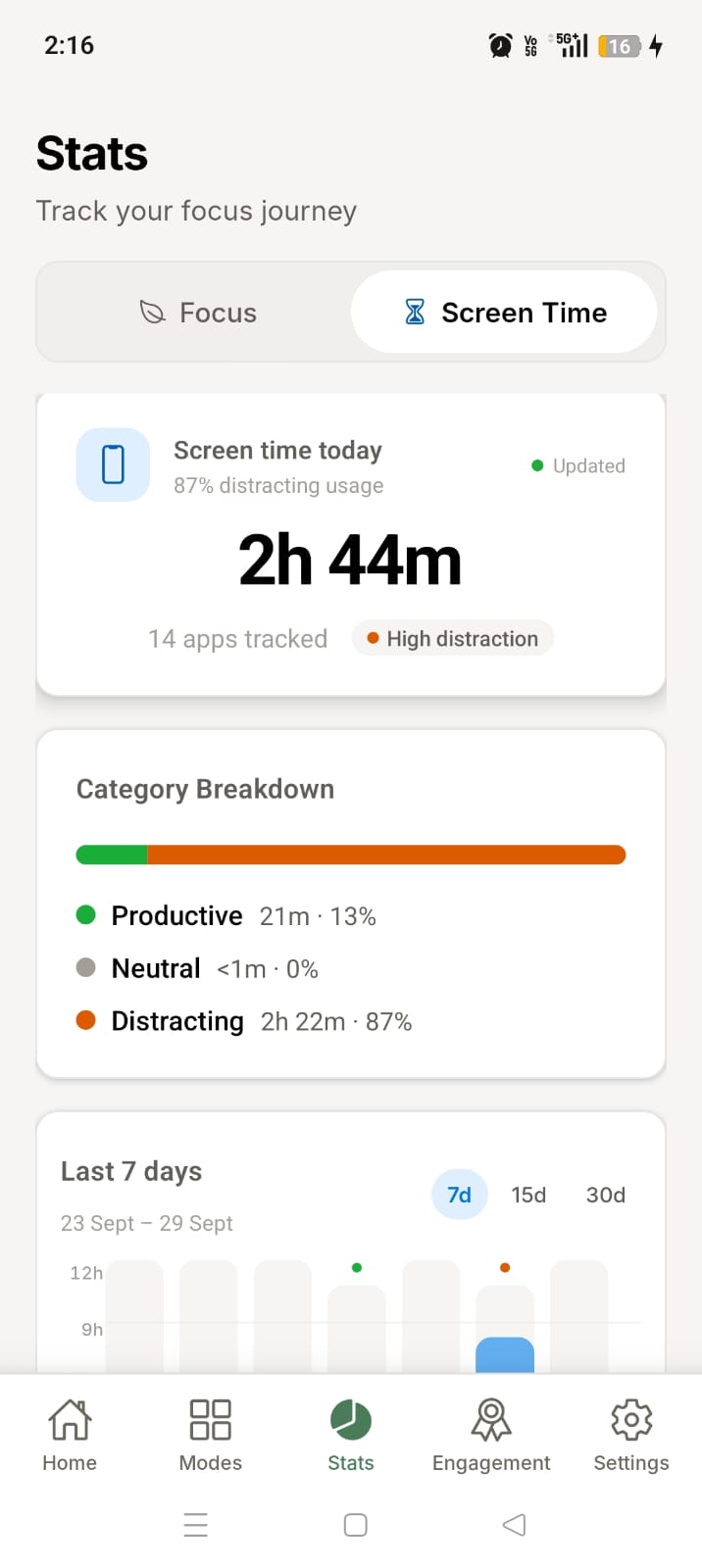
ScreenBreathe screen time dashboard showing daily activity and app usage
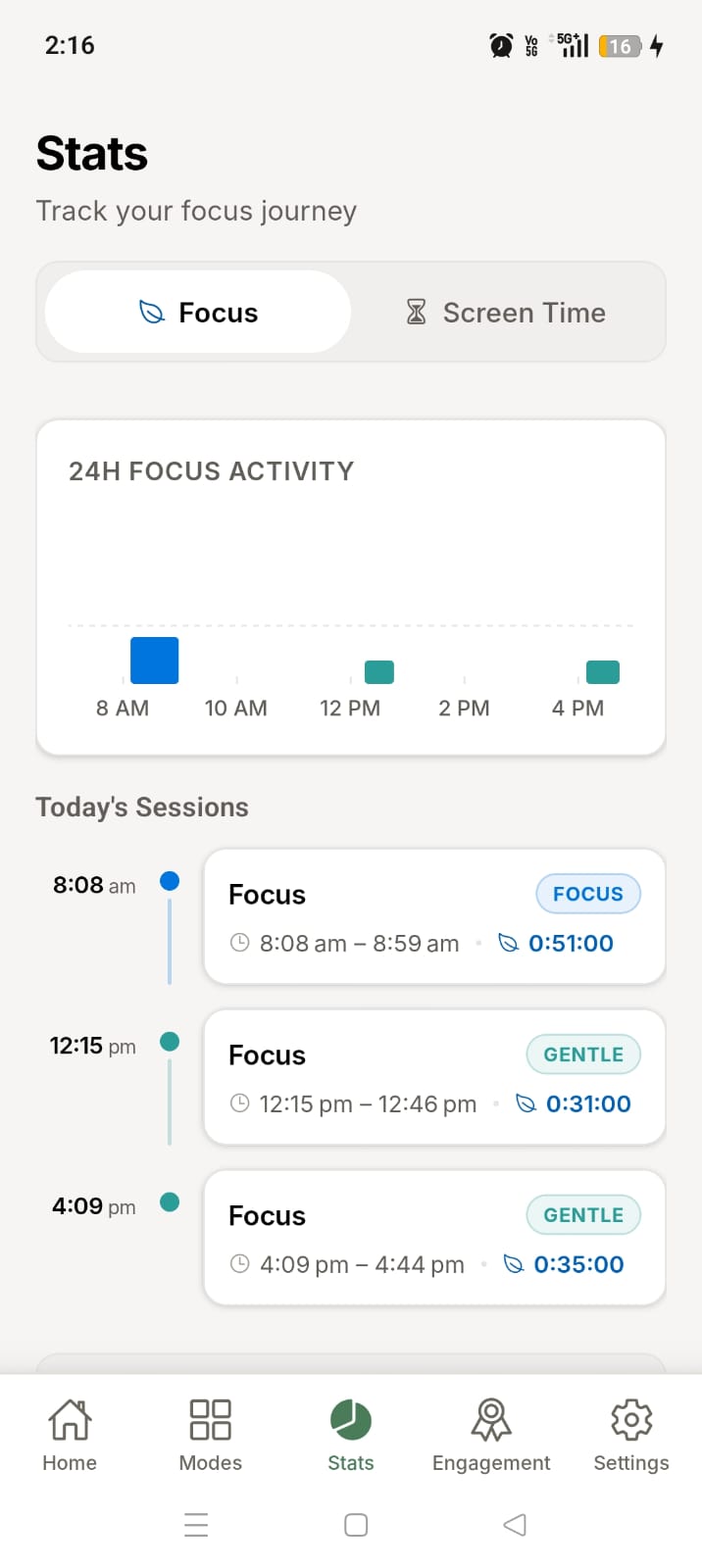
ScreenBreathe focus history screen showing recent session activity
ScreenBreathe focus stats screen with 24-hour session and attention insights
  • Track your daily screen time
  • Identify apps that consume most of your time
  • Gain insights into your digital habits
  • Visualize your session history
FAQ

Frequently asked questions

Quick answers to common questions about ScreenBreathe.

Yes. ScreenBreathe is free to download. All features including focus sessions, app blocking, website filtering, and screen-time tracking are built into the app to help you reclaim your time. Some Features are premium, but the free version is fully functional and does not require a subscription.
Accessibility lets ScreenBreathe detect the active app, show blocks over distracting apps, and detect supported short-form feed surfaces for content blocking.
Android requires VPN permission for apps that filter web traffic at the device level. ScreenBreathe uses a local VPN to inspect DNS requests and block selected domains. Website traffic is not sent to ScreenBreathe.
Yes. Phone, dialer, contacts, SMS, system UI, settings, camera, clock, and other essential packages are protected from normal blocking rules.
Block Shield is an optional Device Admin protection that prevents uninstalling or force-stopping ScreenBreathe while protection is active.
Kids blocking uses a transparent touch-blocking overlay. The phone appears frozen, and exiting the mode requires the parent PIN.
Gentle shows a soft nudge when opening an app. Focus blocks interaction during a session. Deep offers strong commitment with a PIN-protected early exit. Kids acts as an invisible parent-safe freeze.
ScreenBreathe is available on Google Play and is designed to follow applicable Google Play user-data and privacy policies. We do not maintain a dedicated ScreenBreathe server for your app activity. Your screen-time, focus, app-use, browsing, and preference data stay on your device, where the app processes them only to provide the features you choose. ScreenBreathe does not receive or remotely view this activity.
Your screen-time records, focus history, blocking rules, and app preferences are stored on your Android device. Depending on your device settings, some app data may also be included in device backups.
No. ScreenBreathe does not transmit your app activity or browsing history to a ScreenBreathe server. The app uses this information locally on your device to provide the features you enable.
ScreenBreathe requests permissions only for features you choose: Usage Access supports screen-time insights, Accessibility helps apply app blocks, display-over-other-apps shows blocking screens, and VPN permission enables website filtering. You can review or revoke permissions in Android Settings; the related feature will stop working if its permission is removed.

Protect your focus

ScreenBreathe combines app blocking, website filtering, content blocking, screen-time insights, and streak-based goals in one calm focus app.